
01 / 04
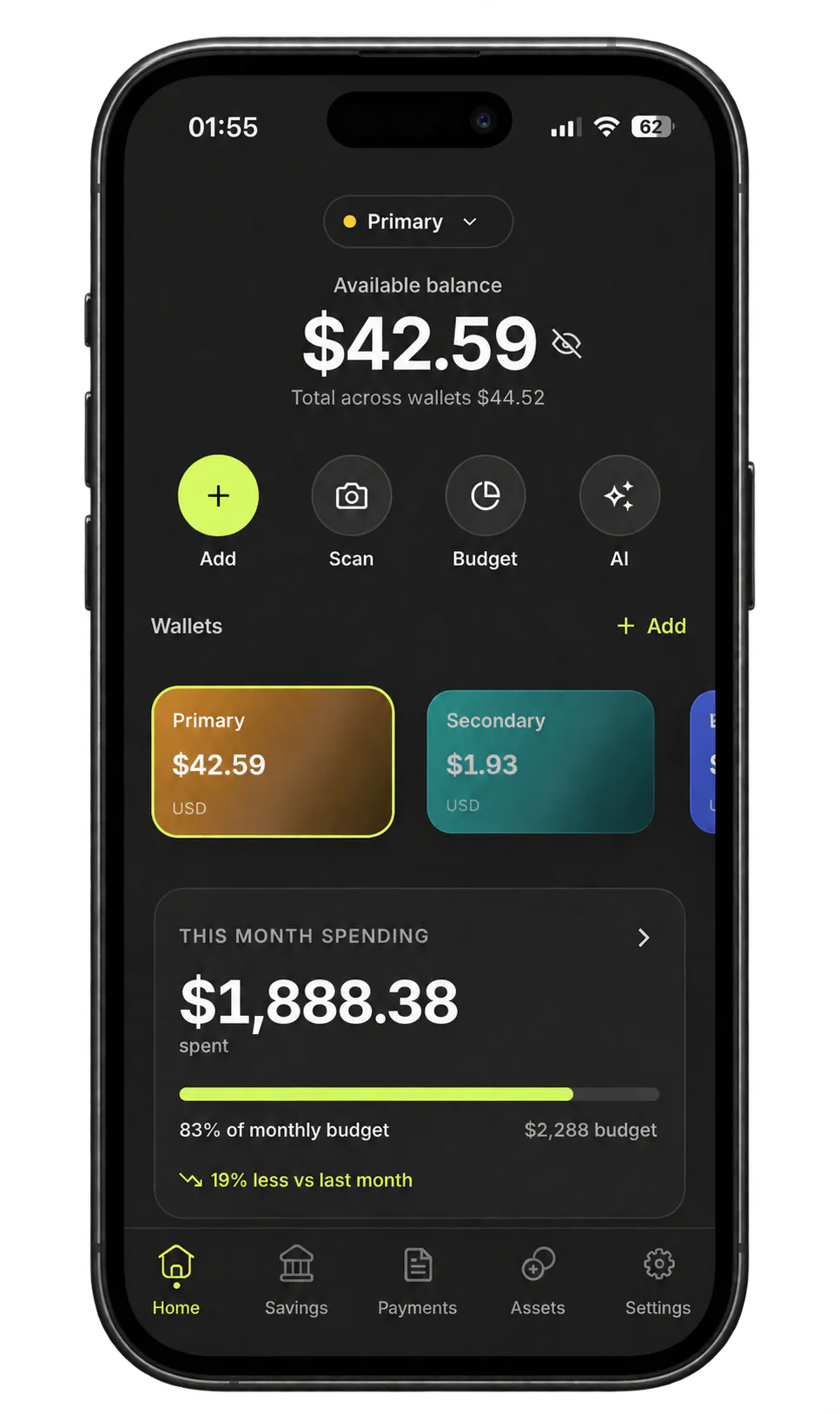
See what the month is really doing.
Follow your monthly plan, spot the pace of spending, and understand what remains without building another spreadsheet.

Capture eligible Apple Pay purchases and payment notifications automatically, scan what automation misses, and keep cash, subscriptions, goals, and currencies in one clear month.
Capture automatically where you can, review what matters, and keep the rest together.
Eligible Apple Pay purchases and payment alerts from apps you choose arrive through Apple Shortcuts automations you set up, without handing over bank credentials.
Scan a receipt into an editable expense with line items, tax, and totals ready for review.
See spending, subscriptions, bills, and savings goals together across the currencies you use.
One calm home for today’s spending, the month ahead, and the decisions that deserve your attention.
Follow your monthly plan, spot the pace of spending, and understand what remains without building another spreadsheet.
See where your money went, then use the details to understand the pattern—not just stare at a chart.

Monetor AI turns the activity you already track into a focused explanation and practical next step. It is informative, never financial advice.

Loans, subscriptions, and recurring payments stay visible in the same place as the rest of your month.

The rest of your financial life stays close when you need it.
Recurring bills, subscriptions, savings targets, and reminders in the same monthly view.
Keep original amounts visible across AMD, USD, EUR, and more, with one base currency for the month.
Understand spending changes and turn savings targets into practical next steps.
No required bank login, no ad tracking, and no selling your data.
Focused pages explain what Monetor can automate, what stays manual, and where each workflow has limits.
Use a personal Wallet automation and Shortcut to capture eligible purchases without a bank login.
Combine Wallet automation, receipt scans, and manual entries while keeping bank connection optional.
Turn a readable receipt photo into an editable draft, then review it before it reaches your budget.
Track AMD, USD, EUR, and other currencies in one consistent monthly view.
Complete the month with Wallet taps, receipt OCR, recurring bills, and fast manual entry for cash.
Free includes automatic capture and up to two wallets. Pro adds more wallets, premium AI insights, advanced reports, higher limits, and exports.
Enough to track the basics of your money life on iPhone.
Pro pricing will be confirmed when Monetor is available on the App Store.
The App Store purchase sheet shows the local price, any trial, and billing terms before purchase. Terms · Privacy
The things most people want to know before installing a finance app.
Monetor is an iPhone finance app that captures eligible Apple Pay purchases and supported payment notifications automatically, without connecting a bank. It brings spending, merchant categories, savings goals, subscriptions, analytics, and AI insights together across multiple currencies.
No. Monetor does not ask for your bank credentials. Transactions can come in through Apple Shortcuts automations for Apple Wallet and payment notifications, receipt scans, or manual entry, with no Plaid connection or screen-scraping required.
You set up two Apple Shortcuts automations. A Wallet Transaction automation can send eligible Apple Pay purchases to Monetor, and a notification automation can pass payment alerts from apps you choose, such as your bank app or Messages. Neither imports past history, and not every purchase produces an event, so receipts and manual entry fill the gaps. The app runs on iOS 15.1 or later; automatic capture needs a newer iOS version that supports these Shortcuts triggers. See the Apple Pay setup guide.
Monetor has a Free plan that includes automatic capture. Monetor Pro adds more wallets, premium AI insights, advanced reports, higher limits, and exports. Pro pricing will be confirmed when Monetor is available on the App Store, and the purchase sheet shows the local price and terms before you buy. See Pricing.
Monetor never asks for bank credentials, does not use ad tracking, and does not sell your data. Account data is kept on a private Supabase backend with encryption at rest. Optional AI features, receipt scanning, and payment-notification capture send the text or images they need to named processors. The privacy policy lists them.
Drop your email. We'll send product availability and launch updates.
iPhone · iOS 15.1+ · Android planned · No spam, one email per milestone.